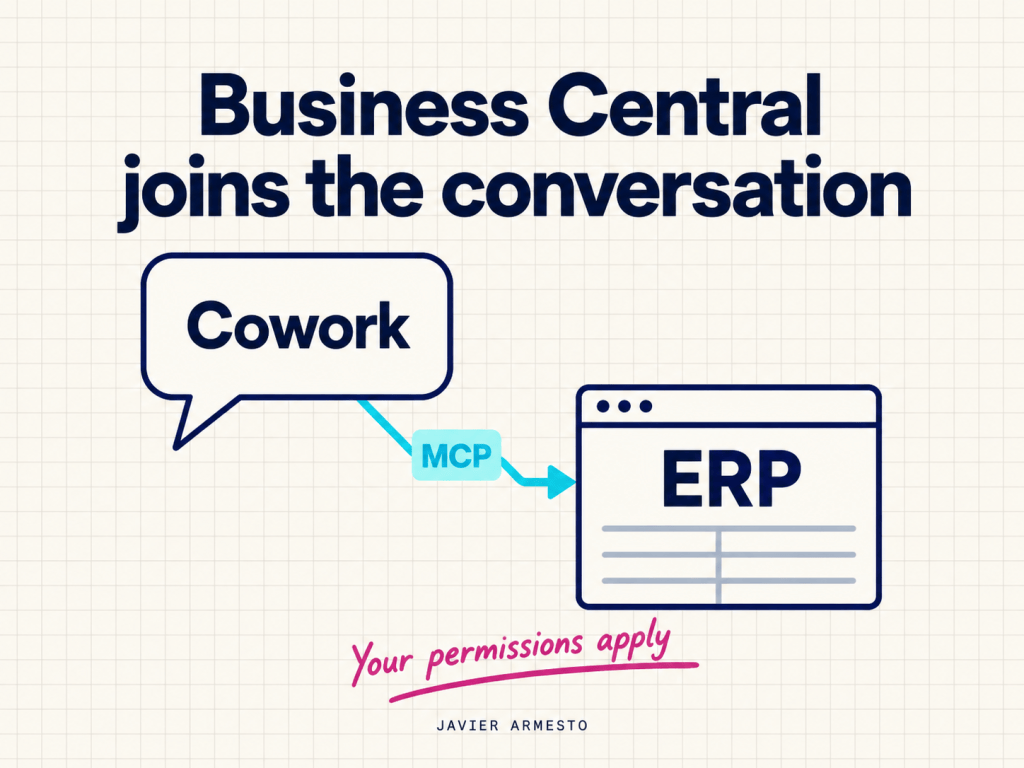
Asking an agent for the latest sales invoices is a small demonstration, but it involves an interesting decision: letting the ERP take part in a work conversation while keeping control over the data and the operations available.
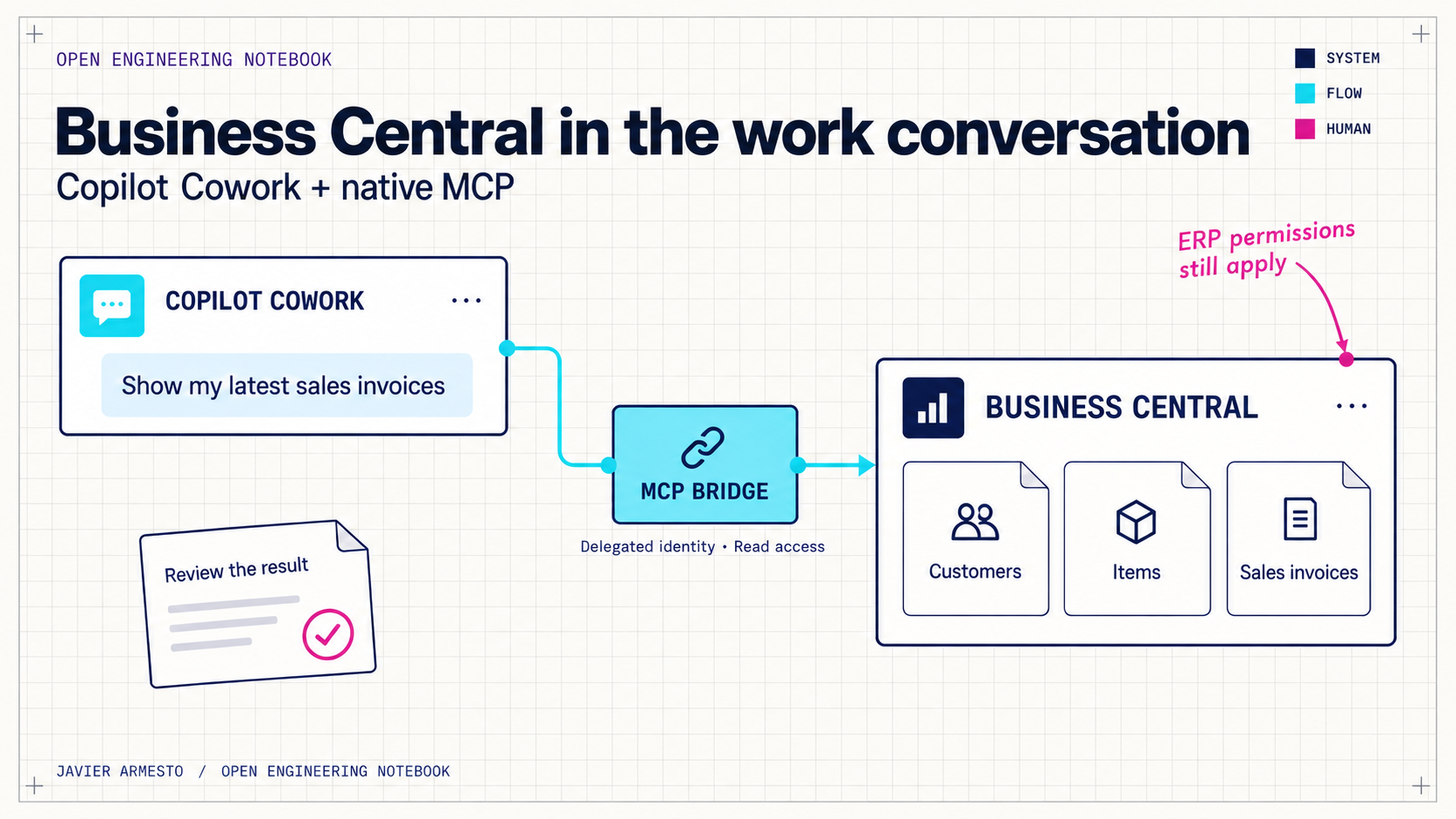
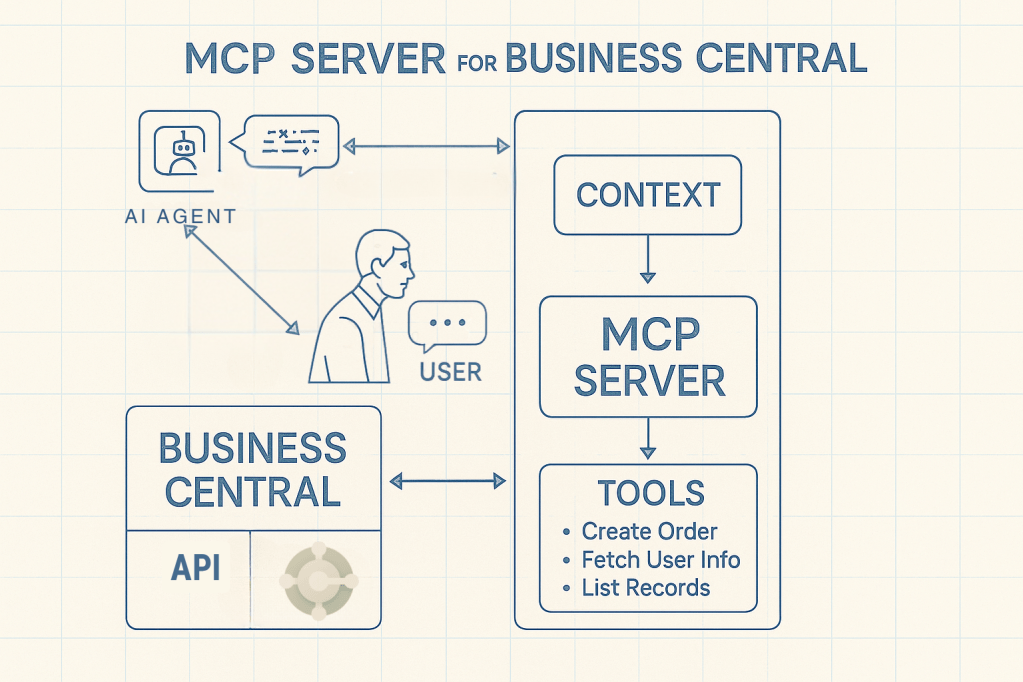
I have connected Microsoft 365 Copilot Cowork to the standard Business Central MCP server. From Cowork, I have queried customers, items, vendors and sales invoices. The user signs in, the agent identifies the action it needs, and Business Central returns data from the selected company.
What interests me is what we can build from this connection and which responsibilities each part should keep.
The connection and the user’s identity
Microsoft supports Cowork extensions through Microsoft 365 app packages containing connectors and, when needed, skills. In this case, I used an MCP connector to access Business Central. I built the plugin; the MCP server it connects to is Microsoft’s native service. Cowork plugin development.
Between them, I placed a small TypeScript bridge deployed on Railway. Its job is specific: receive the authenticated call, obtain a valid token for the Business Central MCP server, and add the headers that identify the tenant, environment, company and configuration.
This is a choice for this implementation. The bridge lets us handle those connection requirements in a service we control. The ERP logic and its APIs remain in Business Central.
Identity matters too. Access takes place on behalf of the user through an On-Behalf-Of exchange. The token received by the bridge is intended for its own API; the bridge then obtains another token to call the Business Central resource. Although the configuration includes application secrets, we are not replacing the user with an application account that has general access to the ERP. Microsoft Entra delegated OBO flow.
Discovering actions from Business Central
A particularly useful part of the design is the MCP server’s dynamic mode. Instead of adding a tool to the plugin for every entity, the agent uses three operations: search for an action, inspect its schema and execute it. The bridge also provides a tool to check the connection. These operations let the agent discover the actions offered by the Business Central configuration during the conversation. Dynamic Tool Mode in Business Central.
There is a practical consequence. When I added the sales invoice API to the BC configuration, I could query it from Cowork without adding a specific invoice tool to the package. The business catalogue is managed in the ERP, while the plugin keeps the same discovery and execution tools.
This does not mean that every Business Central table automatically becomes a tool. We work with exposed APIs and a defined scope. In this implementation, the bridge supports read queries on API pages. Write operations require further design work.
From a query to a business process
To look at this from a business perspective, imagine a simple request:
Show the five most recent sales invoices. Separate drafts from open invoices and prepare a summary for the administration team. Identify any missing information before suggesting an action.
Reading invoices already works in this implementation. The summary and the proposal are the next use we can build on top of those data. We need to be precise here: an open invoice does not, by itself, prove that it is overdue, and reviewing five documents is not the same as analysing the full receivables portfolio.
The agent needs to interpret the status, dates, amounts and scope of the query. If information needed for a decision is missing, it should say so. Distinguishing what the ERP returns from what the agent proposes is part of the quality of the solution.
It is also the difference between an access demonstration and a complete business process. Querying information, organising it and preparing a review can be useful on their own. Posting an invoice, sending a payment reminder or confirming an order adds responsibilities for execution, approval and follow-up. Those operations are not implemented in this plugin.
Business Central keeps a central role. The MCP configuration defines the available capabilities, and access uses the user’s identity and permissions. The agent has a wider working context, but the ERP continues to apply its controls. Business Central native MCP overview.
Reproducing the connection
I wanted others to be able to reproduce this connection. The repository therefore includes local configuration for the plugin’s name, its Microsoft 365 identity, the endpoint and the OAuth reference. Each new independent installation generates an ID that is kept for updates. Secrets stay in the services that need them.
The implementation guide covers BC preparation, Entra app registrations, deployment on Railway and installation in Cowork. Some steps are still administrative: having access to Cowork, granting consent and assigning permissions in BC. Cloning the repository makes the software part easier; it does not make those decisions for the organisation.
I see value in starting with a small process whose result we can review: a useful query, a clearly limited interpretation and a proposal that a person can check. From there, each new execution capability needs a clear purpose and someone responsible for it.
Connecting the ERP to an agent opens up possibilities. Turning that connection into a reliable way of working is the task that follows.

























Deja un comentario