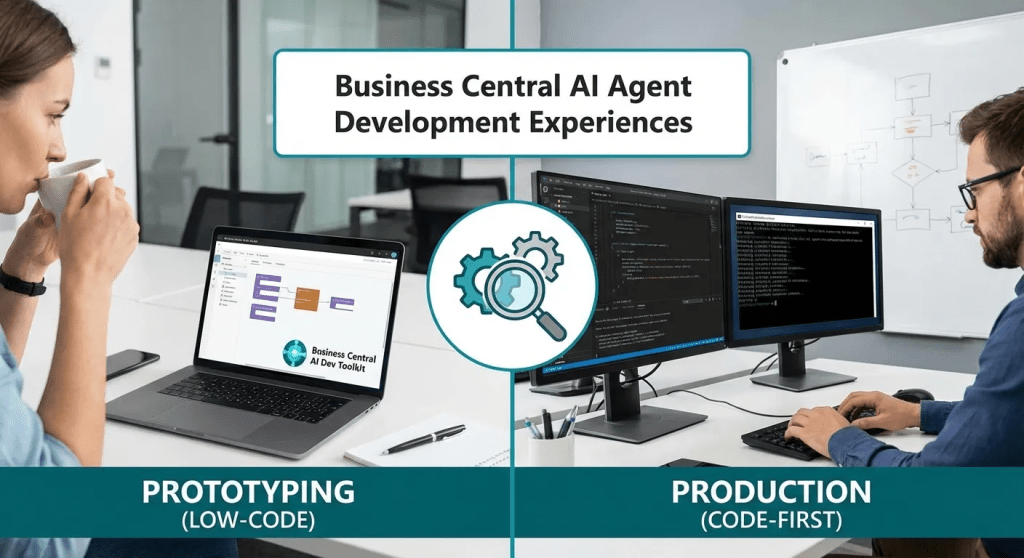
Two paths, one destination
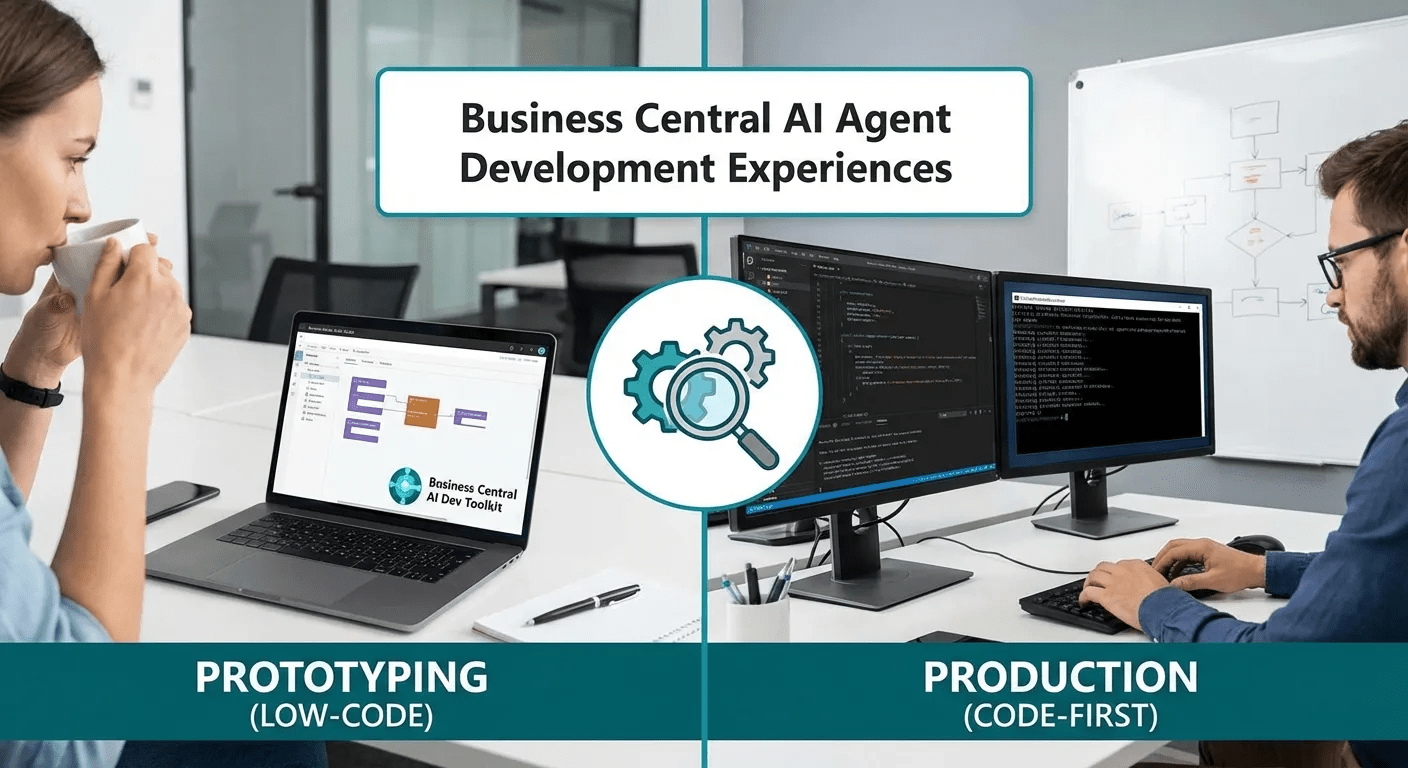
The Business Central AI Development Toolkit offers two experiences for creating agents. Understanding when to use each one is the difference between prototyping an idea in an afternoon and building a product that goes into production.
If you have been following the evolution of agents in Business Central, you probably already know that since wave 2 of 2025 (BC27.4) we have the ability to create custom agents. What you may not be so clear about is that the official Microsoft Learn documentation presents two different pages within the same AI Development Toolkit hub, and that each one responds to very different needs..
The first is called «Designing and coding agents» and is the toolkit’s landing page. The second, «Coding agents in AL», is the SDK reference for AL developers. At first glance, they may seem redundant. They are not. And confusing them can lead you down a path that is not yours.
Let’s break it down.
Agent Playground: designing without code
The design experience : what Microsoft internally calls the Agent Playground — is intended for a profile that is not necessarily a developer. Functional consultants, product owners, domain experts. People who understand the business process but do not open Visual Studio Code on a daily basis.
What can you do from here?
From the Business Central interface itself, in the Agent icon in the role centre, you can create a new agent (from scratch or using the Sales Validation template), configure its instructions in natural language, assign it a profile and permissions, run test tasks, and view execution diagnostics.
Everything is done with a wizard. Without writing a single line of AL.
The agent’s instructions are, in essence, a prompt. Microsoft has defined a set of instruction keywords that the agent recognises and that guide its behaviour within the runtime. You can simulate email, event, and UI action scenarios—all manually, but enough to validate whether your idea works.
And when you are satisfied with the result, you can export the agent as JSON and import it into another environment.
The limitation is clear: what you design in the Playground does not deploy as an extension. It has no automatic triggers. You cannot subscribe to business events, create custom validation logic, or distribute it on AppSource. It is a prototype. A very powerful prototype, but a prototype nonetheless.
The Agent SDK: complete control in AL
The second experience is that of the professional developer. Here we are already in pure AL territory, with Visual Studio Code, system interfaces, and publishable extensions.
When you code an agent in AL, you are working with a set of interfaces and codeunits that the agent runtime exposes:
- IAgentMetadata: defines how the agent is presented — name, initials, summary page, configuration page. It is the agent’s «passport» in the system.
- IAgentTaskExecution: allows you to inspect each message that the agent produces and add annotations (Info, Warning, Error) before it is finalised. It also allows you to offer predefined suggestions when the agent requires human intervention.
- Agent Task Builder: the fluid API for creating tasks programmatically. Initialise → SetExternalId → AddTaskMessage → Create.
- Agent Session: the codeunit that detects whether the current session is an agent session and which metadata provider is running.
The fundamental difference is that an agent coded in AL is registered as a Copilot Capability, configured through a ConfigurationDialog page (using the SourceTableTemporary pattern for draft editing), and distributed as an .app extension.
But most importantly, a coded agent can react to business events. It can subscribe to an OnAfterInsert in a table, monitor a mailbox via Job Queue, or activate when a field changes. That is the difference between an agent that waits to be given work and an agent that detects when there is work to be done.
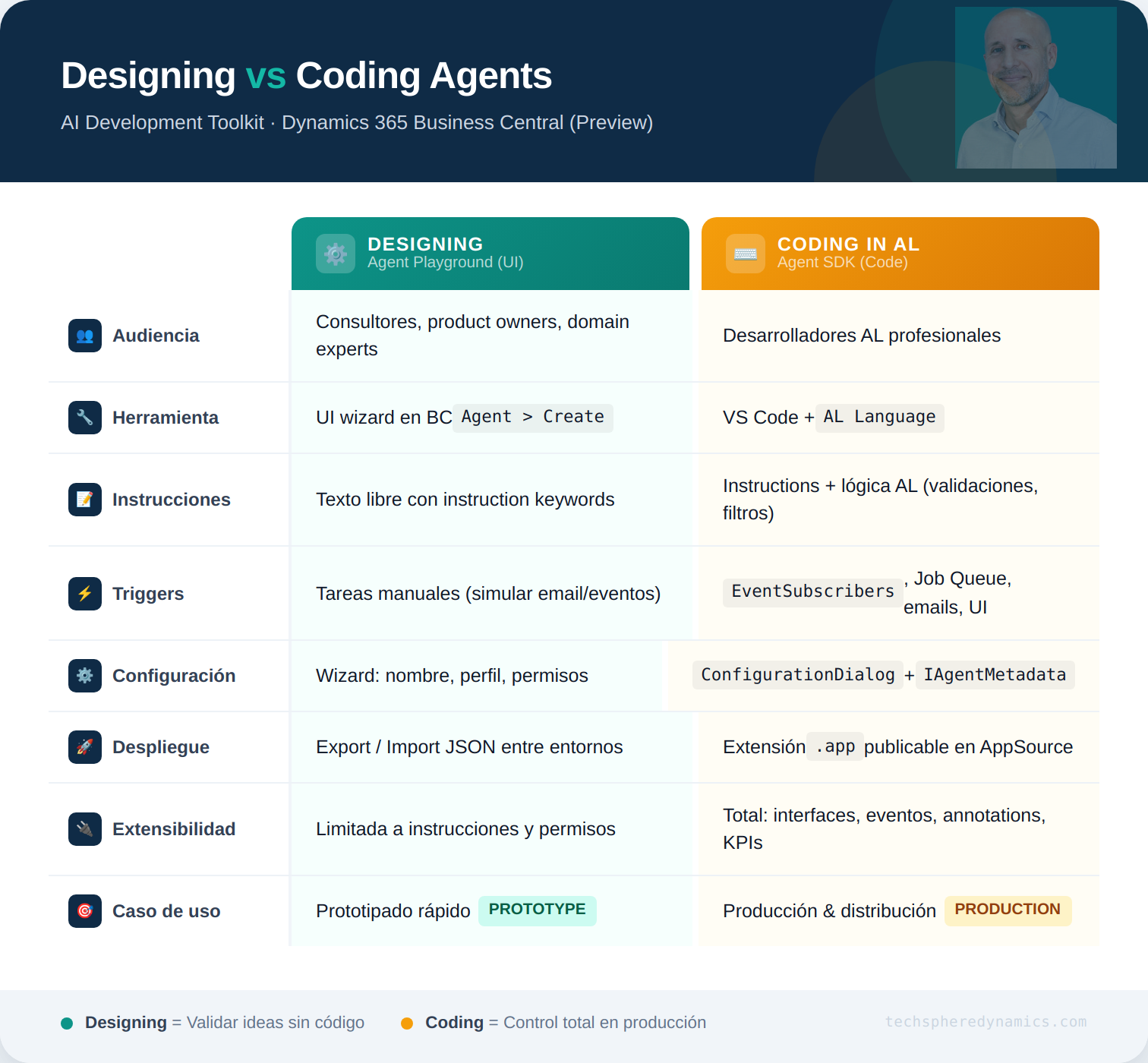
A visual comparison
The real flow: one feeds the other
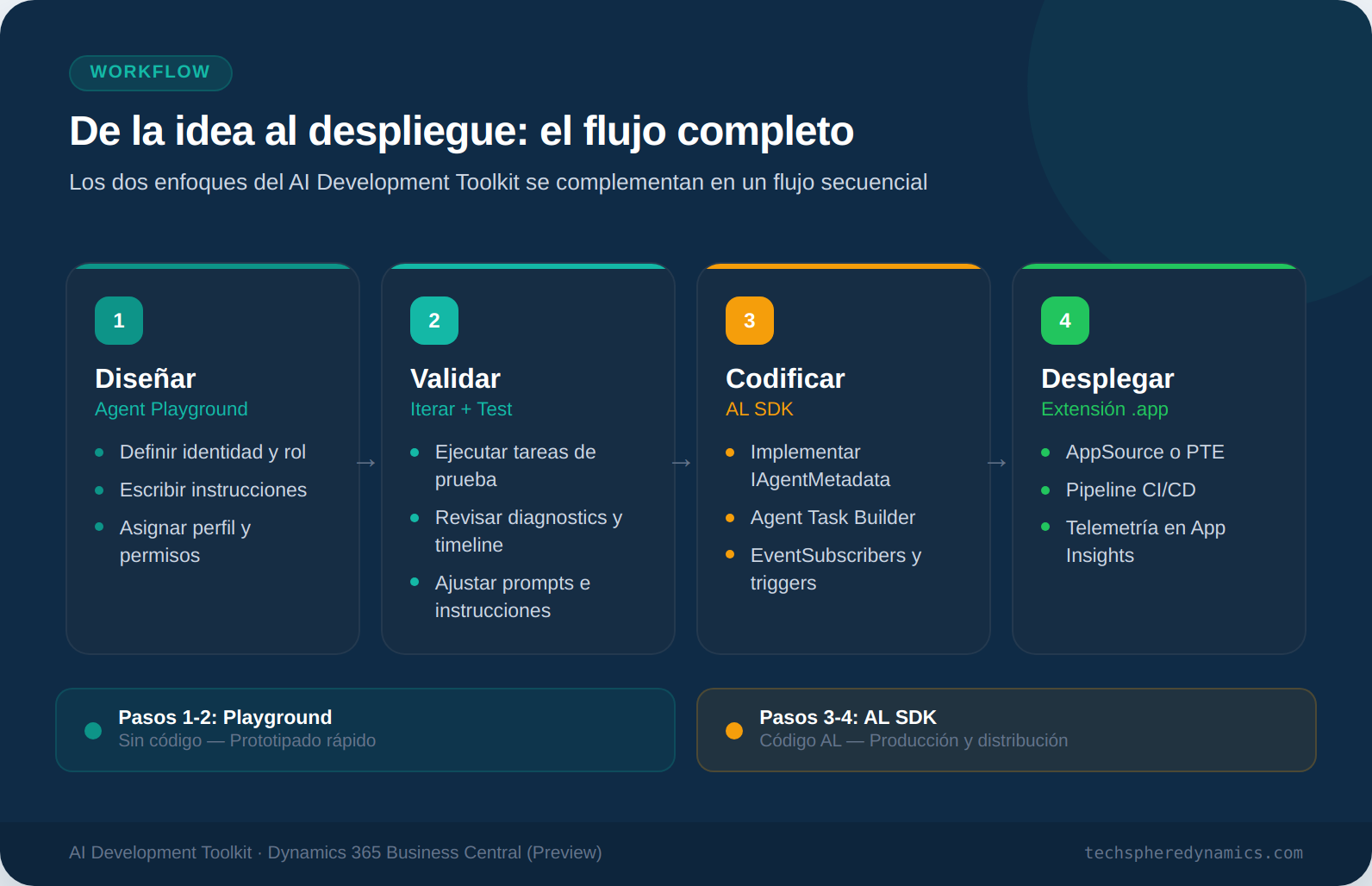
The key that many overlook is that these experiences are not mutually exclusive. In fact, the smartest approach is to use them in sequence:
1.Design in the Playground. Define the agent’s identity, write the instructions, test different formulations. This allows you to iterate on the «what» without struggling with the «how».
2.Deploy. The .app extension goes to your CI/CD pipeline, with telemetry in Application Insights, and distributable through the usual channels.
3.Validate by iterating. You execute tasks, review diagnostics, and adjust instructions. The Playground gives you a timeline view of each agent action, execution costs, and the serialisation of the pages visited.
4.Code in AL. Once the behaviour is validated, you take the agent to code. Implement the interfaces, create the configuration page, define the EventSubscribers for automatic triggers. Microsoft even offers the option to convert an agent created in the UI to code — a direct bridge between both experiences.
What should be remembered
There are some important nuances that are not included in the table but which make a difference in practice:
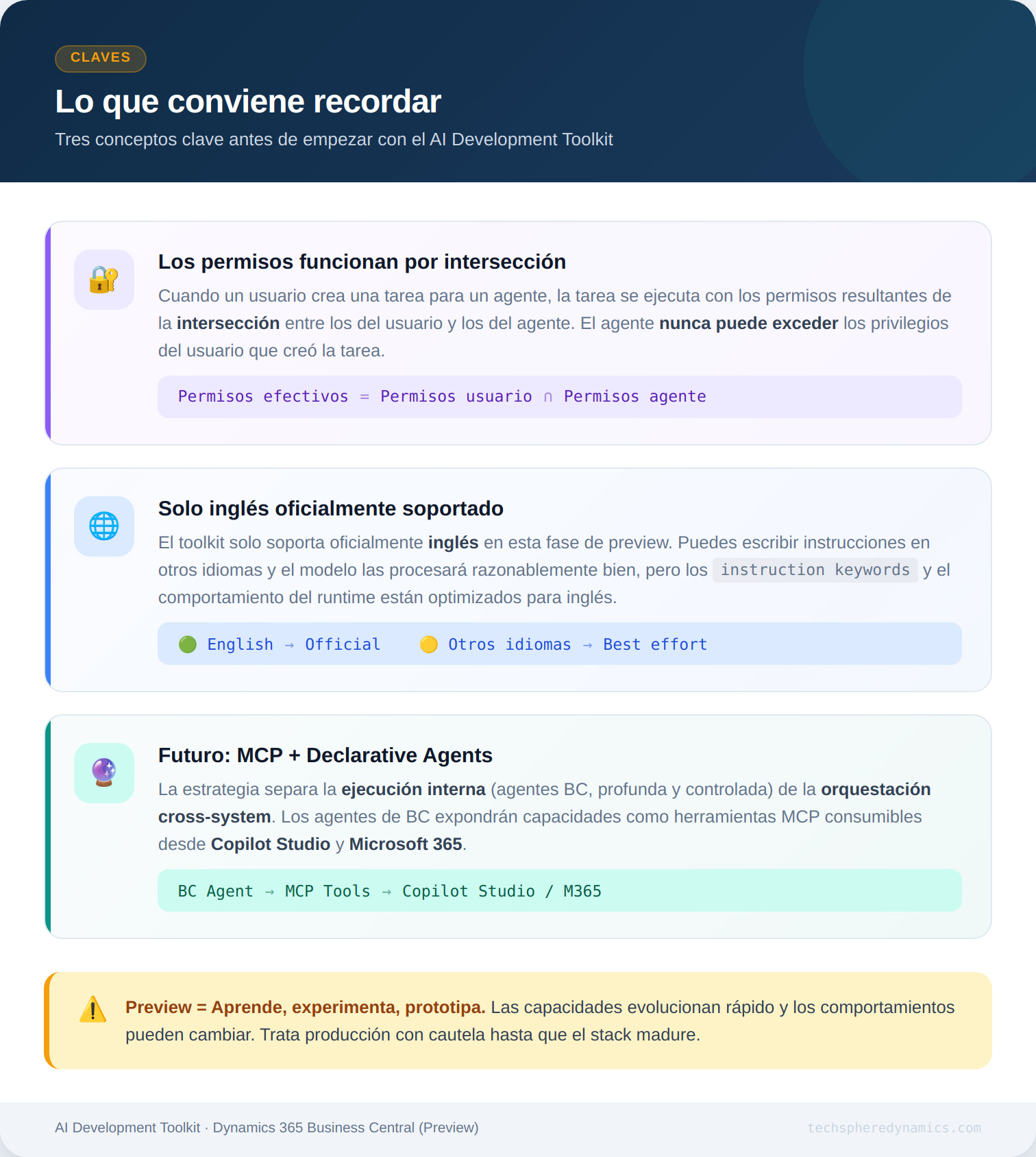
- Permissions work by intersection. When a user creates a task for an agent, the task runs with the permissions resulting from the intersection between the user’s and the agent’s permissions. The agent can never exceed the privileges of the user who created the task. This applies both in the Playground and in code.
- The toolkit only officially supports English. You can write instructions in other languages and the model will process them reasonably well, but official support is limited to English at this preview stage.
- We are in preview. Capabilities evolve rapidly and behaviours may change. My advice: learn, experiment and prototype, but treat production with caution until the stack matures.
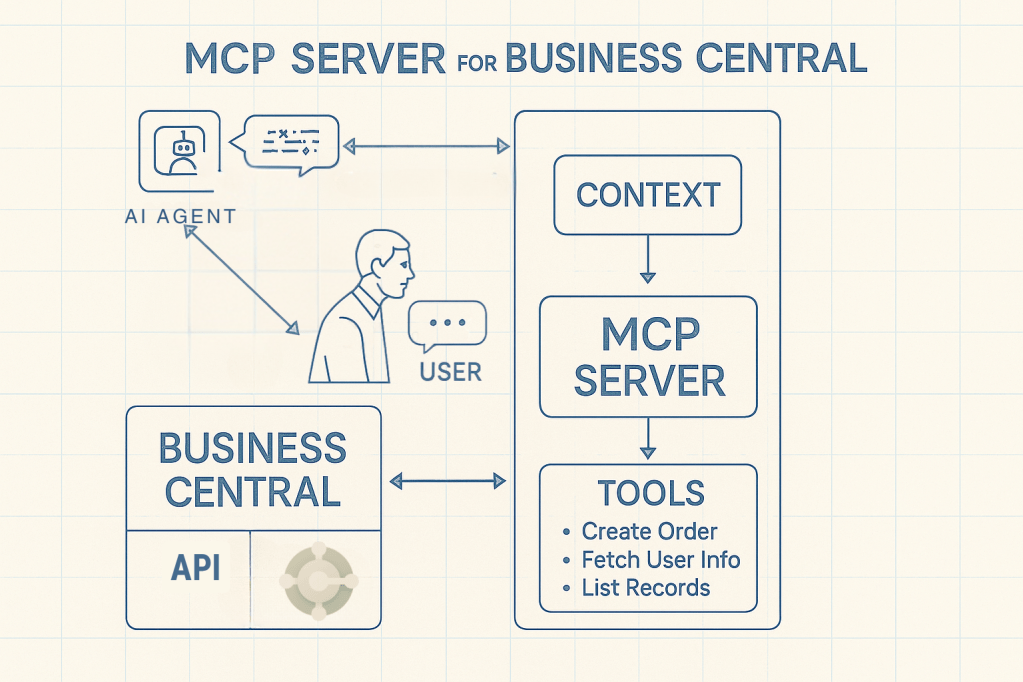
- Future: MCP and Declarative Agents. Business Central’s agentic strategy intentionally separates deep, controlled execution within the product from cross-system orchestration. BC agents form the foundational layer, exposing capabilities that in the future can be surfaced as MCP tools and consumed from Copilot Studio and Microsoft 365.
To close
If you are a functional consultant or product owner and want to explore what an agent can do for your business process, start with the Playground. You don’t need to know AL. You don’t need VS Code. You just need to understand your process and know how to write clear instructions.
If you are an AL developer and want to build agents that react to events, are distributed as extensions, and have custom configuration and telemetry, go straight to the SDK. But don’t rule out going through the Playground first to refine the instructions before writing code.
Two paths, one destination: agents that automate business processes in Business Central with intelligence, transparency, and control.
Are you already experimenting with the AI Development Toolkit? I’d love to know what agents you’re prototyping. Leave a comment or write to me on LinkedIn.






































 Tech Sphere Dynamics
Deja un comentario