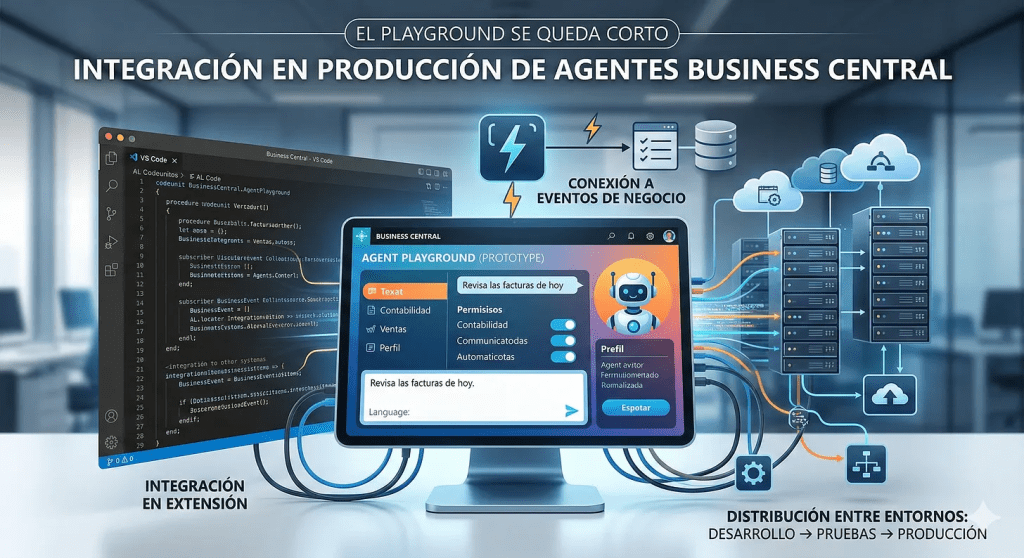
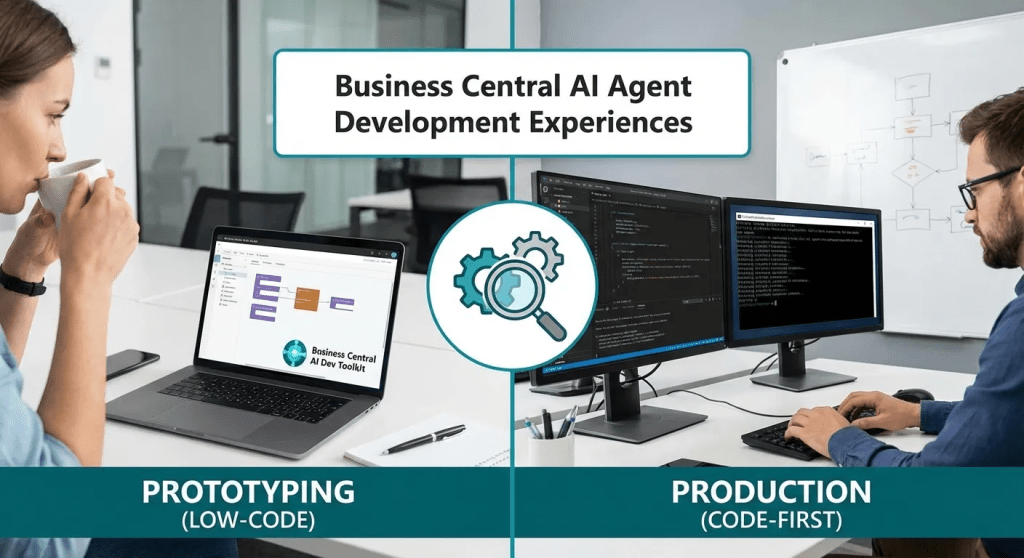
What Agent Playground lets you prototype, the SDK allows you to turn into a product. This is the roadmap.
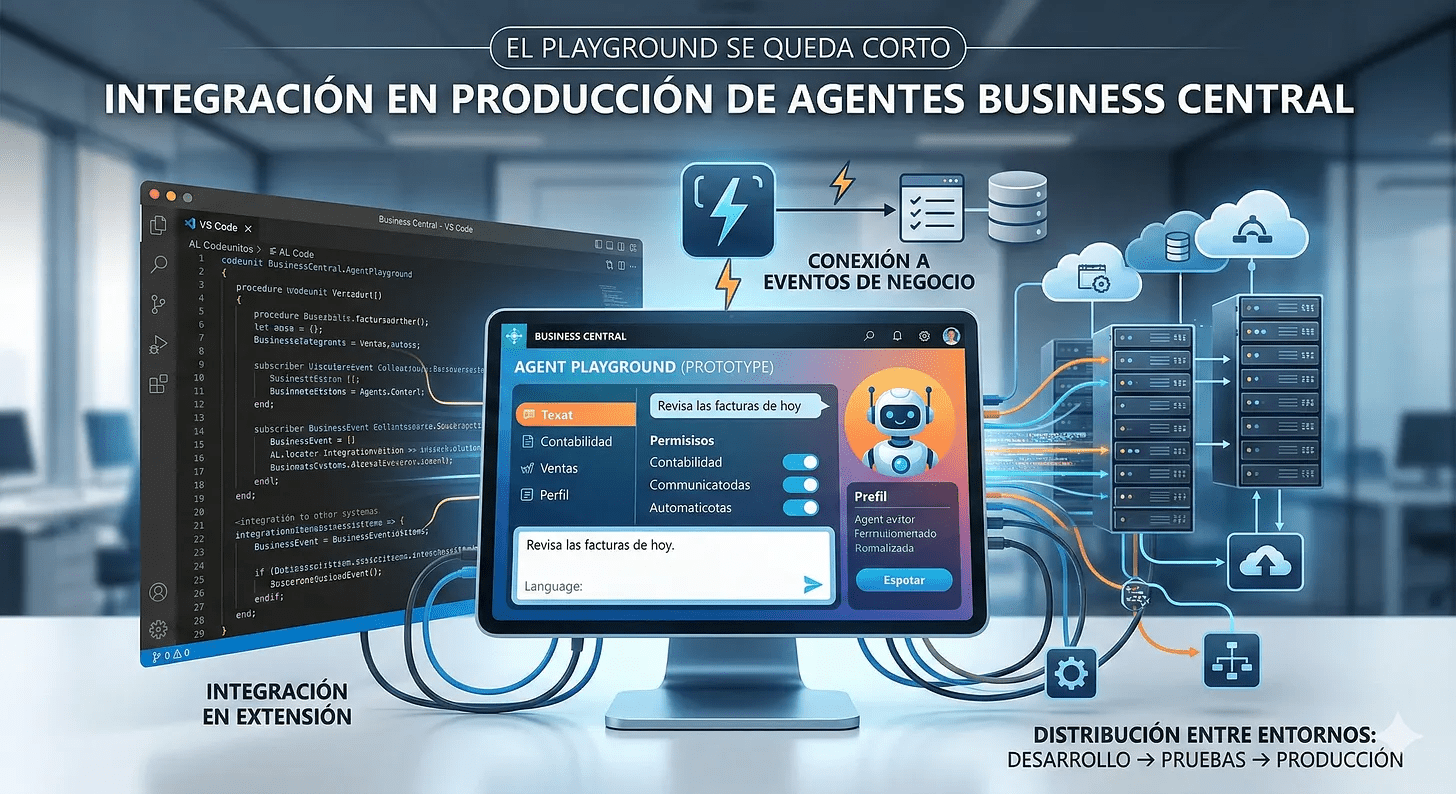
Business Central’s Agent Playground is an excellent tool for experimentation: in just a few minutes, you can have a functional agent with natural language instructions, configured permissions, and a dedicated profile. But when the prototype works and you need to integrate it into an extension, distribute it across environments, or connect it to business events, the Playground falls short.
That’s where the AL agent SDK comes in. It’s not about rewriting everything, but rather transferring the logic you’ve already validated to a structure that Business Central recognises as a first-class component: with identity, security, configuration, and autonomous reaction capability.
Note: AI Development Toolkit is in preview. Capabilities evolve rapidly and behaviour may change. The recommendation is to learn and prototype, but treat production with caution until the stack matures. Furthermore, English is the only language officially supported at this stage.
The contract: three interfaces and an enum
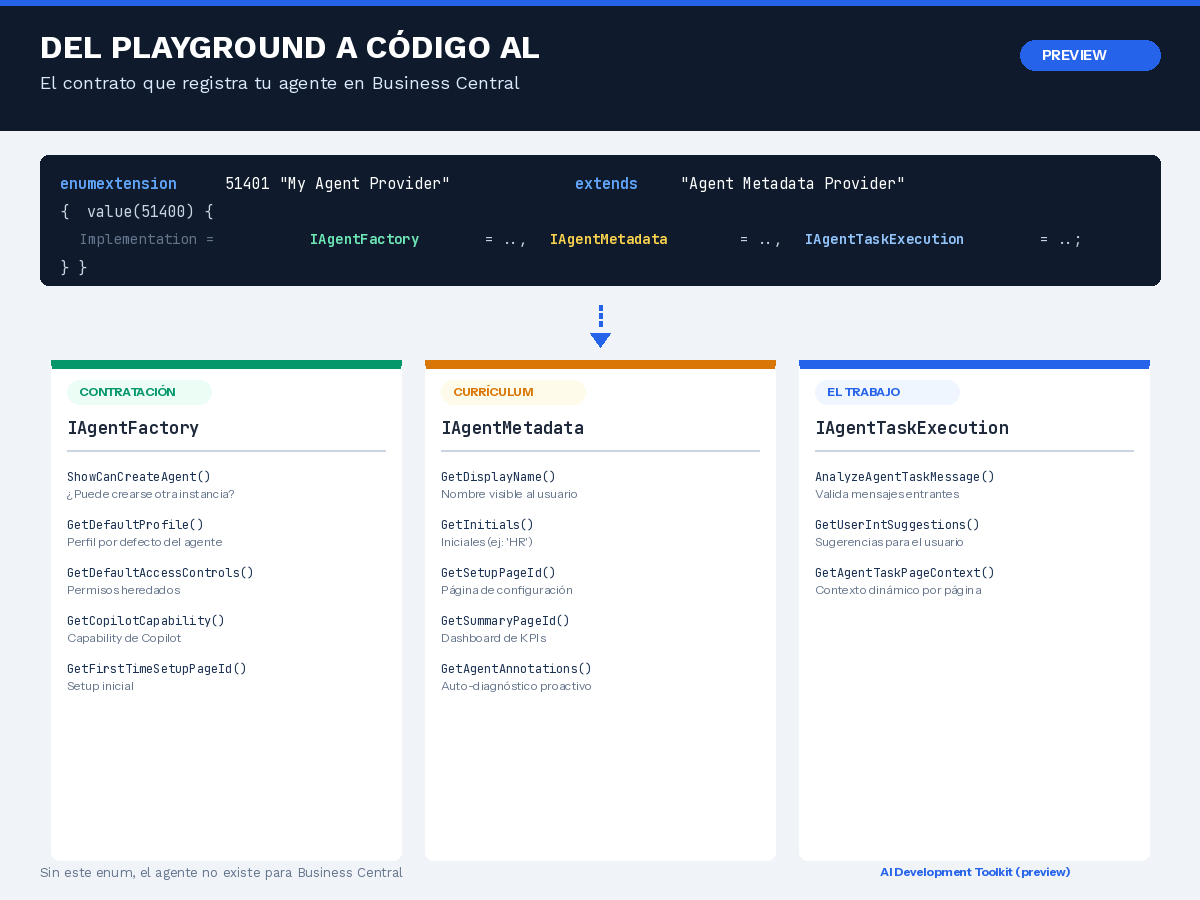
The centrepiece of any agent in AL code is an enumextension that extends «Agent Metadata Provider». This enum is literally the registration point: without it, the agent does not exist for Business Central.
The interesting thing about the design is that a single enum value connects three contracts simultaneously:
enumextension 51401 "My Metadata Provider" extends "Agent Metadata Provider"{ value(51400; "My Custom Agent") { Implementation = IAgentFactory = "My Agent Factory", IAgentMetadata = "My Agent Metadata", IAgentTaskExecution = "My Agent Task Exec"; }}Each interface has a clear responsibility. IAgentFactory defines how the agent is created: default profile, inherited permissions, whether more than one instance is allowed, and the associated Copilot capability. IAgentMetadata is the runtime business card: name, initials, setup pages, and KPIs, as well as a self-diagnostic mechanism called GetAgentAnnotations that allows the agent to proactively warn if it is missing configuration. And IAgentTaskExecution is the operating engine: it validates incoming messages, offers suggestions when human help is needed, and injects dynamic context when navigating pages.
Security: the agent can only do what you allow it to do.
One of the most common mistakes when building agents is assuming that if the instructions are correct, the agent will work. But instructions are useless if the agent cannot see the data.
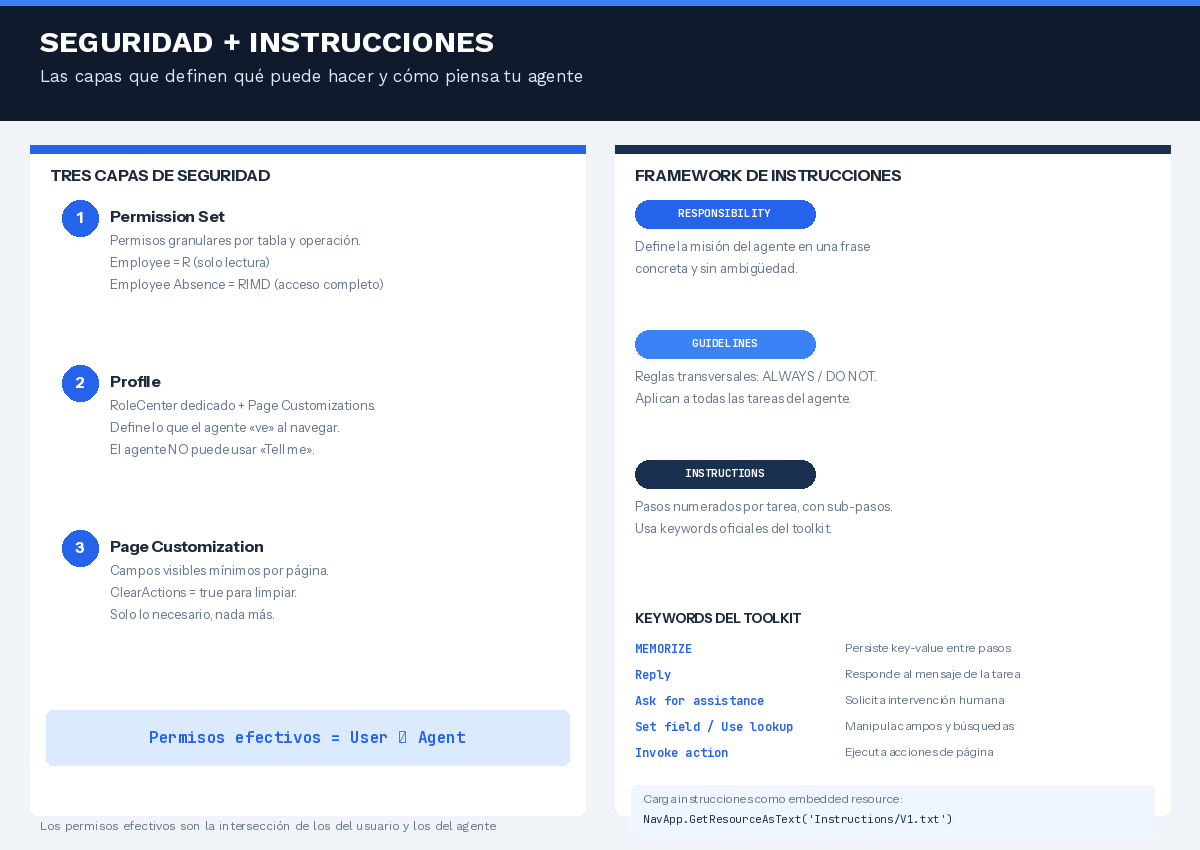
The security model operates on three layers. The first is the Permission Set, where you define granular permissions per table and operation. The second is the Profile, which determines the agent’s RoleCenter and, through Page Customisations, which fields are visible on each page. The third is the Page Customisations themselves, where you can use properties such as ClearActions = true to eliminate visual noise and leave only what is strictly necessary..
Key concept: effective permissions are the intersection of those of the user who creates the task and those of the agent. If the user does not have permission to modify employees, the agent will not be able to do so either, even if they have RIMD in their Permission Set.
Instructions: the operations manual
Unlike classical procedural logic, agents receive instructions in natural language. However, there is a recommended framework that greatly improves consistency.
El marco RESPONSABILIDAD / DIRECTRICES / INSTRUCCIONES
RESPONSIBILITY defines the mission in a clear sentence. GUIDELINES establishes cross-cutting rules: what the agent must always do (ALWAYS) and what it must never do (DO NOT). INSTRUCTIONS details the numbered steps for each specific task, with sub-steps for greater granularity.
The toolkit defines official keywords that the agent recognises and processes in a special way. MEMORISE persists key-value pairs between steps (essential because the agent does not retain the complete status of each page visited). Reply responds to the task message. Ask for assistance requests human intervention. Set field, Use lookup and Invoke action manipulate the interface programmatically.
The instructions are loaded as an embedded resource with NavApp.GetResourceAsText and are automatically updated in the Install and Upgrade codeunits. This ensures that each new version of the extension brings updated instructions without manual intervention.
From reactive to proactive
An agent that only works when a user manually creates a task does not add much value. Its true potential emerges when you connect it to the nervous system of Business Central: EventSubscribers.
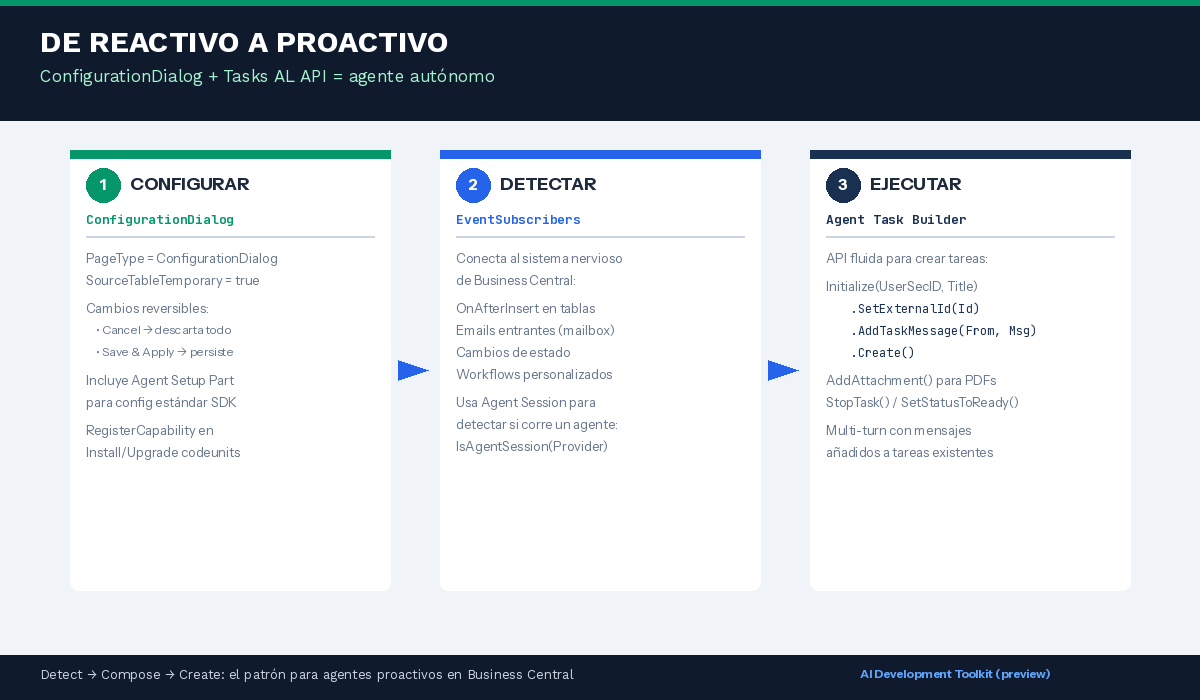
ConfigurationDialog: configuration without code
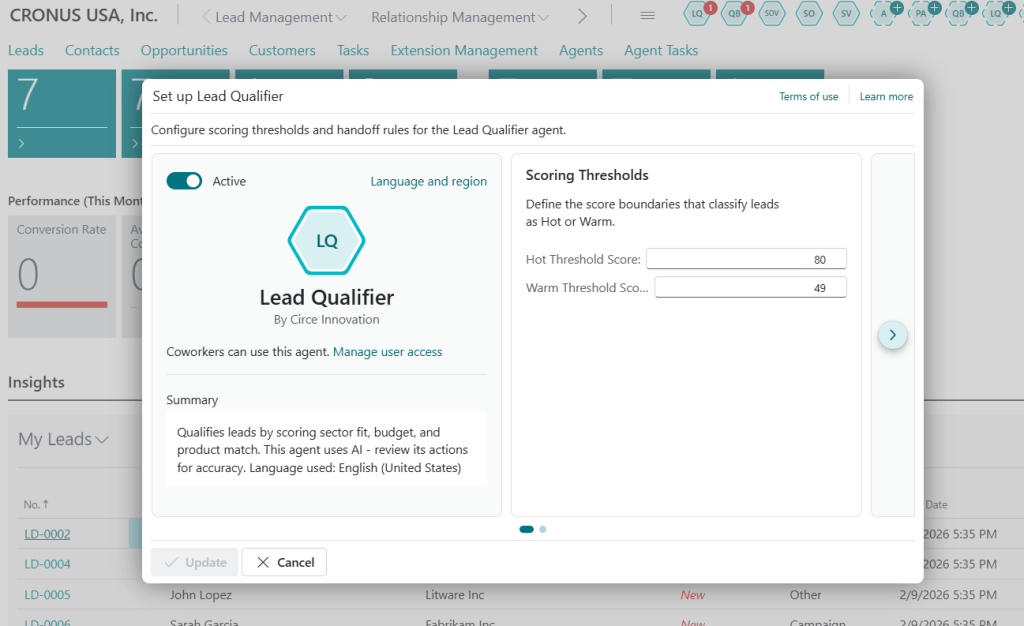
The PageType = ConfigurationDialog with SourceTableTemporary = true provides a reversible change pattern: all modifications are made in memory and are only persisted when «Save & Apply» is clicked. If the user cancels, no trace remains. This pattern includes the standard SDK Agent Setup Part for common configuration (name, status, permissions).
Agent Task Builder: the fluid API
The pattern for creating proactive agents follows three steps: detect a business event with an EventSubscriber, compose the message with relevant context, and create the task with the Agent Task Builder’s fluent API.
// Patrón: Detect → Compose → CreateAgentTaskBuilder := AgentTaskBuilder .Initialize(AgentUserSecurityID, TaskTitle) .SetExternalId(ExternalId) .AddTaskMessage(From, Message);AgentTask := AgentTaskBuilder.Create();You can add attachments with AddAttachment() to provide contextual documentation to the agent, manage the lifecycle with StopTask() and SetStatusToReady(), and maintain multi-turn conversations by adding messages to existing tasks.
Checklist for conversion
If you already have an agent running in the Playground and want to convert it to AL code, these are the essential steps:
- Create the «Agent Metadata Provider» enumextension with the three interface implementations.
- Implement IAgentFactory with the appropriate instance pattern (global singleton, one-per-company, free creation, or code-only).
- Implement IAgentMetadata including GetAgentAnnotations for self-diagnosis.
- Implement IAgentTaskExecution with message validation and intervention suggestions.
- Create the Permission Set, Profile, and Page Customisations with the principle of least privilege.
- Move the instructions to a text file in .resources/Instructions/ and load them with NavApp.GetResourceAsText.
- Register the Copilot Capability in the Install codeunit.
- Create the ConfigurationDialog page with SourceTableTemporary = true.
- Optional: connect EventSubscribers to make the agent proactive with Agent Task Builder.
Conclusions
Converting a Playground agent to AL code is not an exercise in transcription, but rather in architecture. Playground allows you to validate the idea; the SDK forces you to think about identity, security, configuration, and lifecycle. These are different but complementary concerns.
The good news is that the framework is well thought out: three interfaces, an enum, a reversible configuration pattern, and a fluid API for tasks. You don’t need to reinvent the wheel, just fit the pieces together in the right order.
And when the agent makes mistakes (which it will, it’s the nature of the model), the golden rule remains: don’t touch the AL code first. Read the logs, review the annotations, and adjust the instructions. Most iterations are resolved more accurately in natural language, not code.





































 Tech Sphere Dynamics
Deja un comentario