
A price agreement in Excel, from a customer that doesn’t exist in Business Central yet. I asked Edit with Copilot to check what was already there, create what was missing and load the agreed prices. Then, in the same chat, I asked it to turn the process into a skill, and I used that skill on another customer’s agreement. The video (narrated in Spanish, screens in English) covers it in two minutes; here are the prompts, what Copilot created, what didn’t work the first time and what to know before you try it.
What Edit with Copilot is, and where you can try it
Edit with Copilot is the part of Microsoft Copilot in Business Central that does more than answer questions: it creates, modifies, and deletes records and runs actions, reasoning over the Business Central UI itself. Changes are committed as it works.
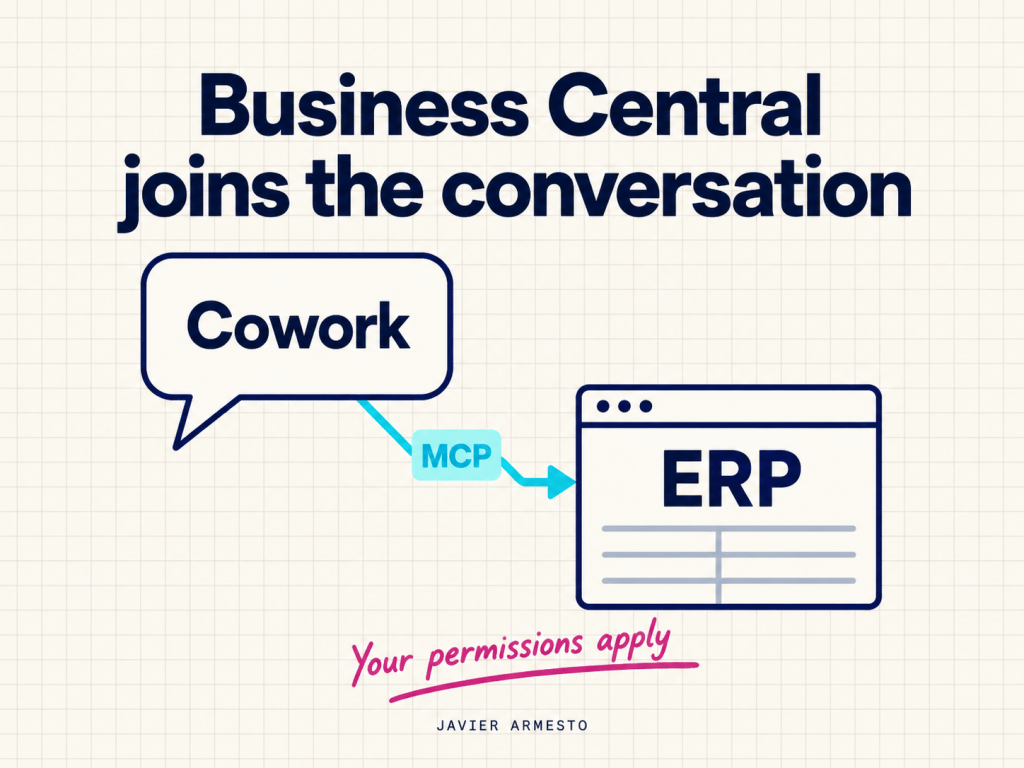
Today it is a preview for partners. It runs only in early access preview environments (version 30.0.56564.0 or later, with a Partner Sandbox license, in the US, GB and DE localisations), and Microsoft positions them for evaluation, not production. Only English is supported. Copilot runs under your permissions and can’t change a field you can’t see or edit yourself.
One detail of my environment: it used the classic pricing experience, without sales price lists. So Copilot doesn’t create a price list here; it creates sales prices for a customer price group.
The first agreement: check, create what’s missing, load the prices
The agreement, fictitious, sat in SharePoint: a new customer, a new price group, five items from the demo catalog (one with a volume price from ten units) and one product that didn’t exist.
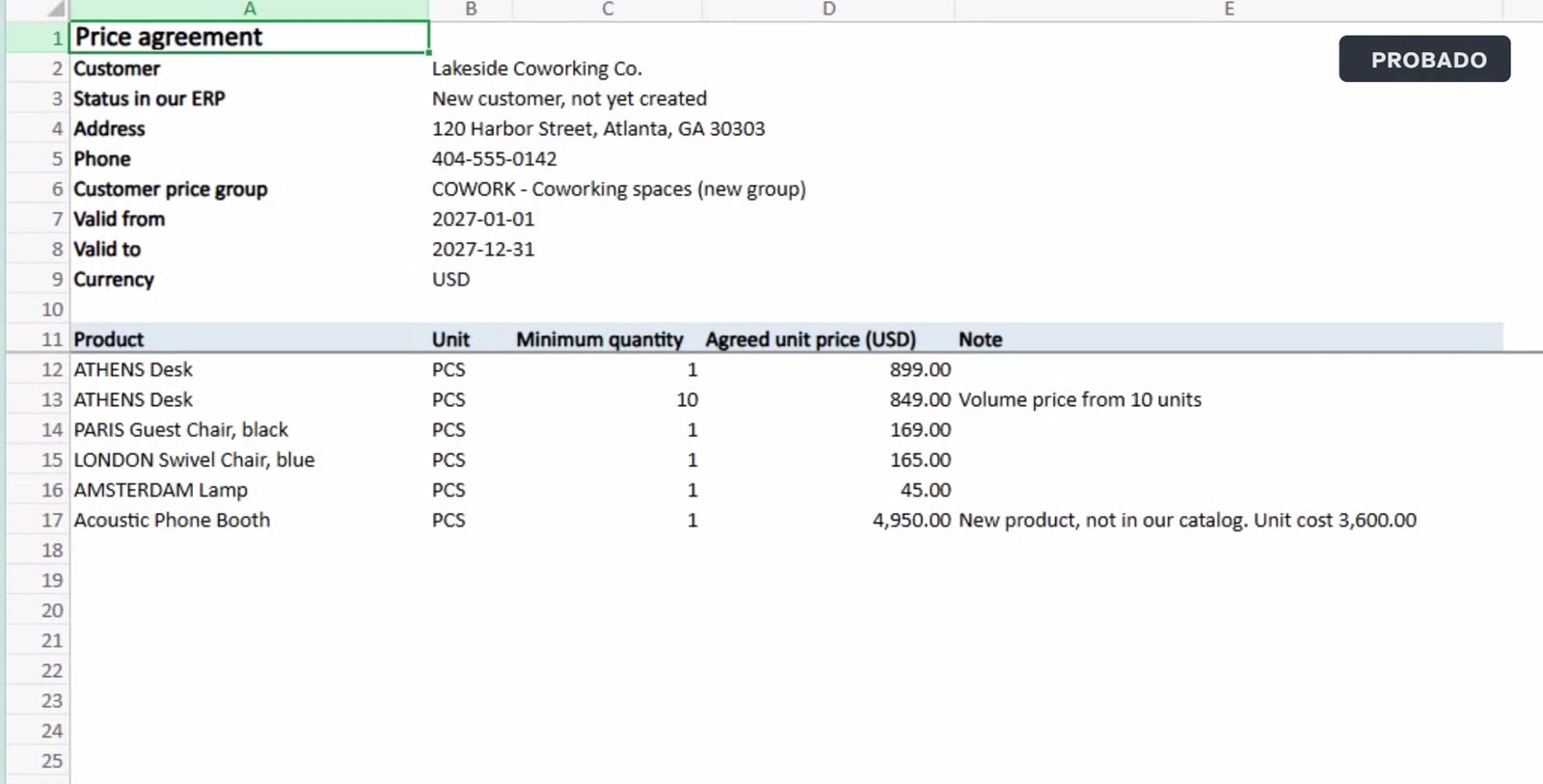
I attached it in the Copilot pane and asked for three things, in this order:
Attached is a price agreement with a new customer. Set it up in Business Central:1. Check whether the customer, the customer price group, and each product already exist. Do not create duplicates.2. Create what is missing: the customer price group, the customer (use a similar domestic customer as a guide for posting and payment settings, and assign the new price group), and any product that is not in our catalog (use a similar item as a guide, with the unit cost from the agreement).3. Add the agreed sales prices for that customer price group: one line per row, with the unit of measure, the minimum quantity and the validity dates from the agreement.When you finish, list everything you created, with numbers and codes.
It created the COWORK price group, the customer (with domestic posting groups, payment terms and the new price group assigned) and the new item with its unit cost. And it loaded all six price lines, with their 2027 dates and the volume tier.
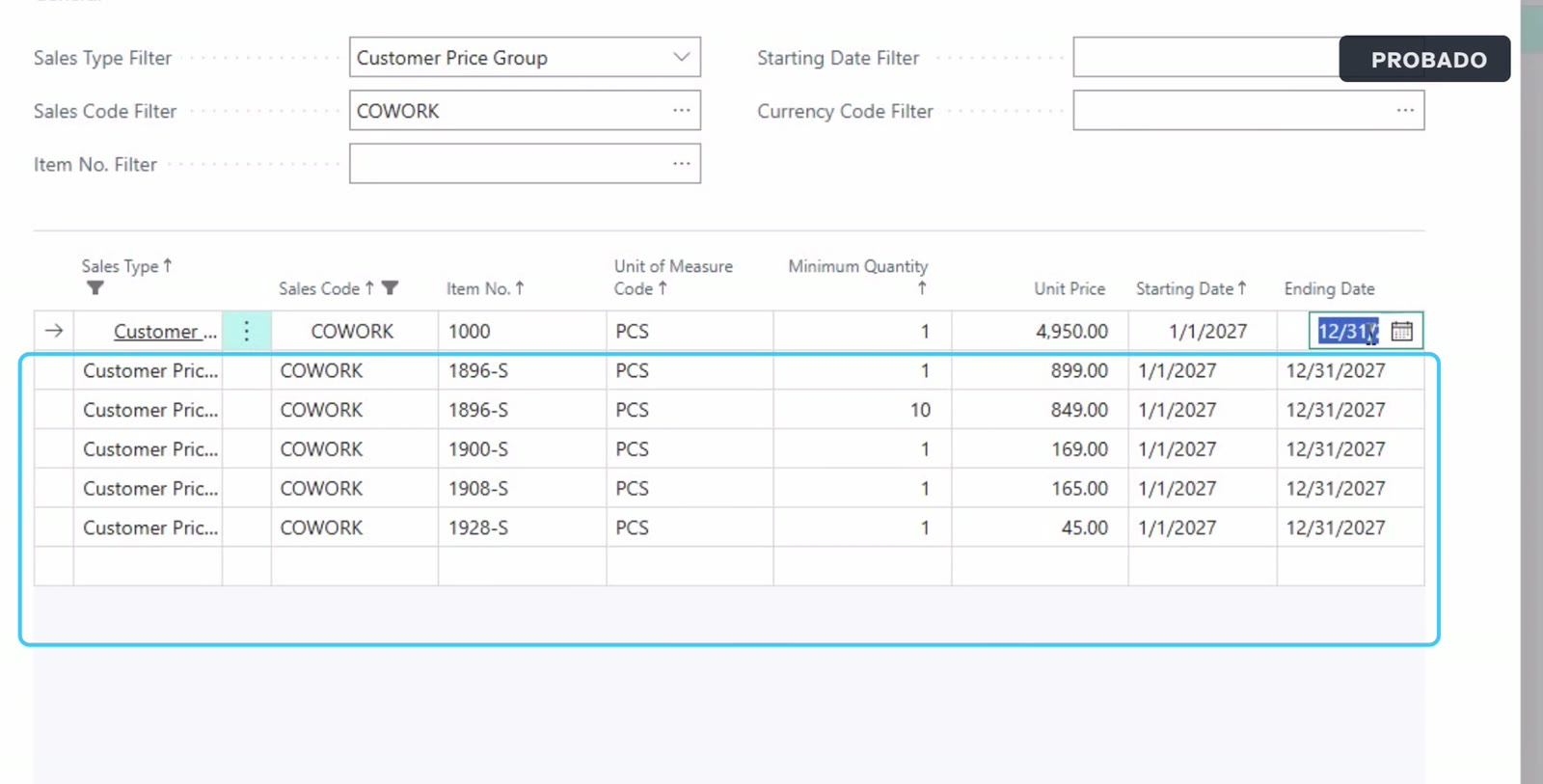
What made me check by hand: the pane’s change log showed three created records (the group, the customer and the item) and no price lines at all. The lines were there, all six, matching the Excel. Microsoft already warns that in this preview the response might not list every change and recommends inspecting the logs. The customer card also showed an «Updates ready for review» banner, with info tips on the fields Copilot had changed and why.
Two things it didn’t do, worth checking: it left the new item’s unit price at zero (the agreement only gave the group’s agreed price) and it left the customer’s contact empty.
«Can you create a skill to do this?»
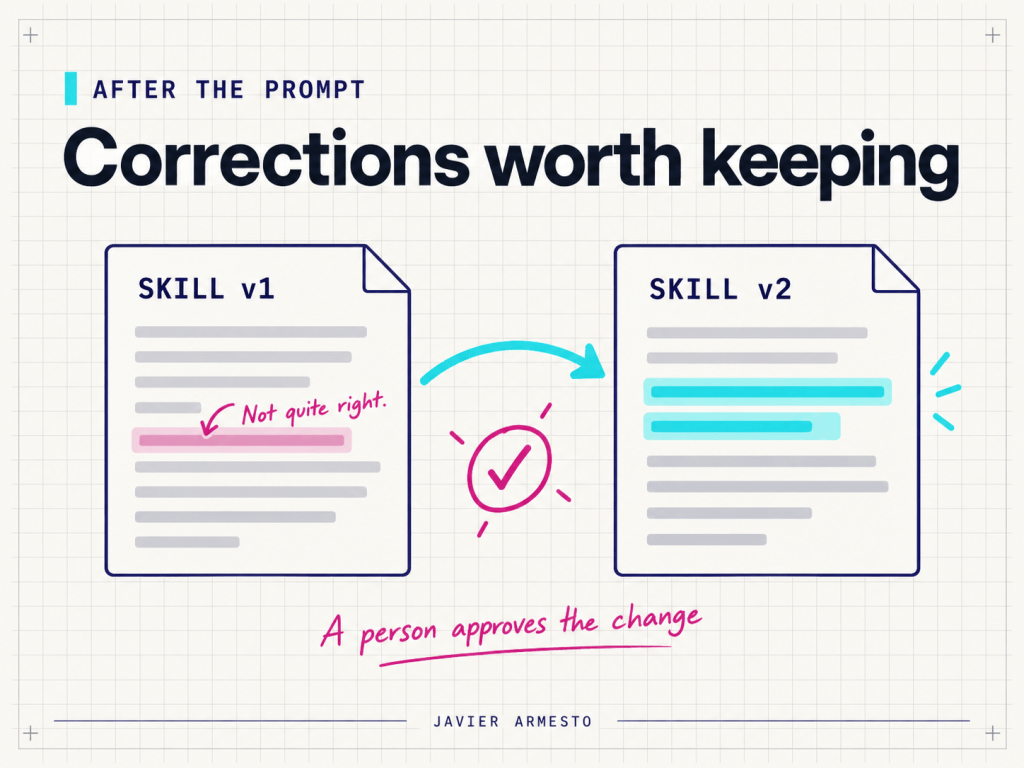
In the same chat I wrote just that. Copilot returned a skill called Customer Price Agreement Setup and a link to download it as skill.zip.
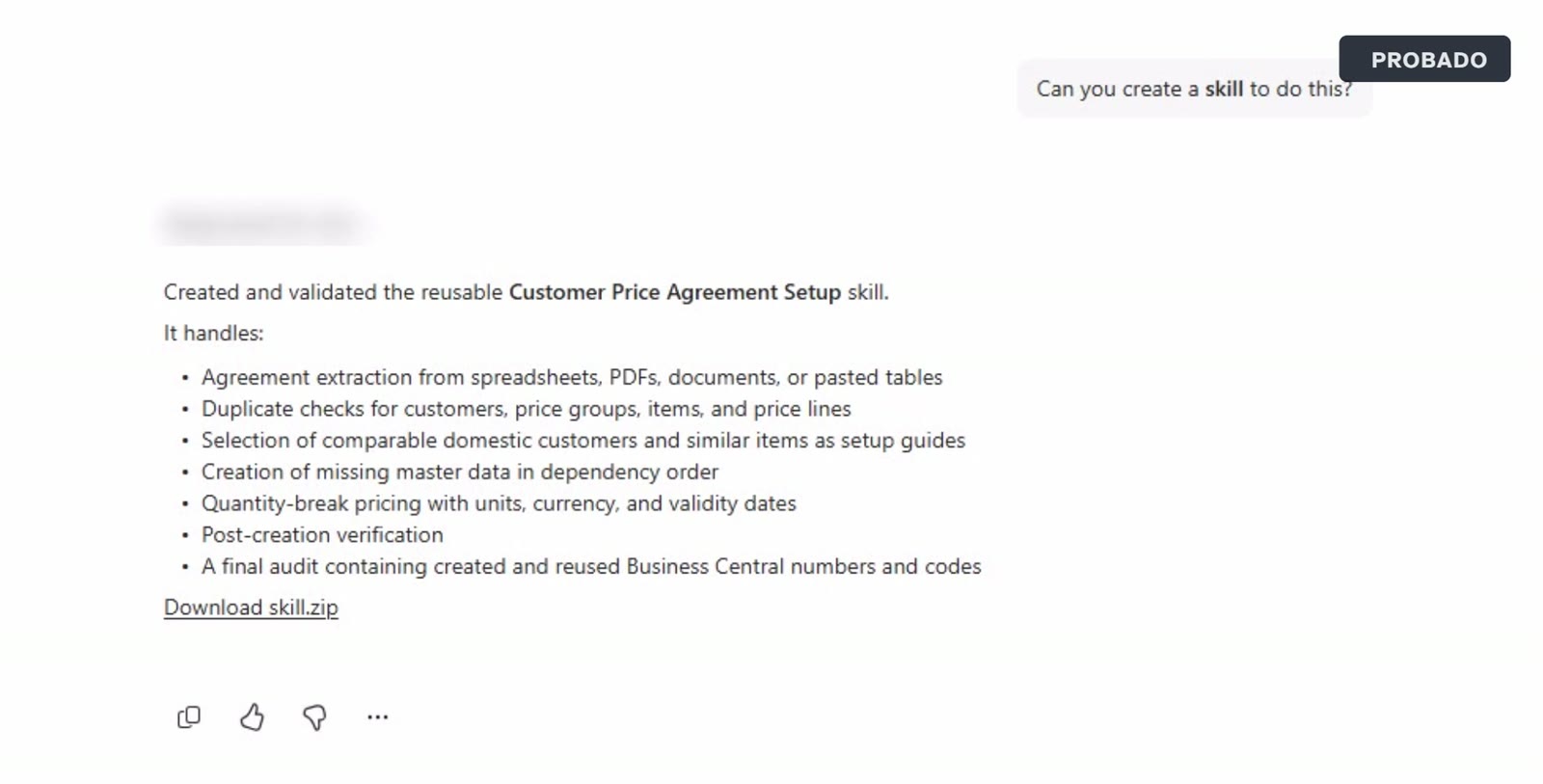
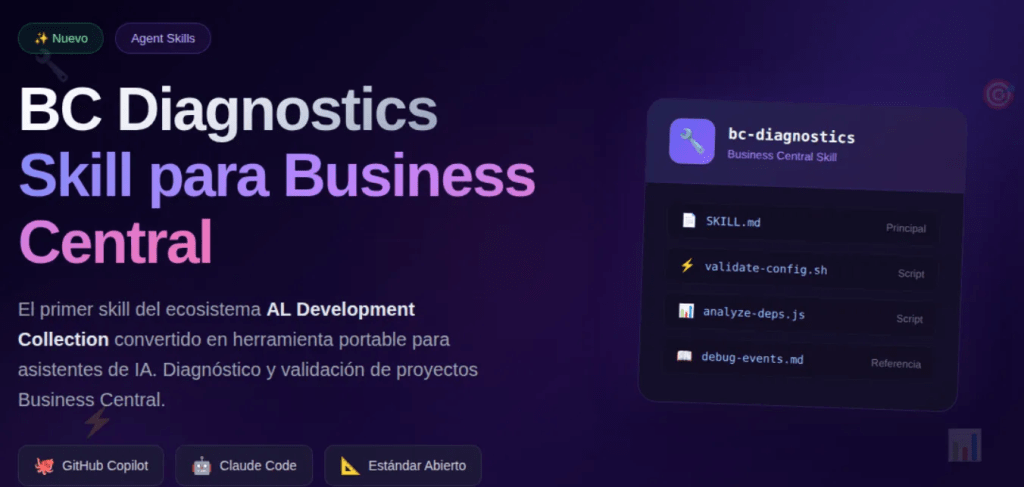
I opened the package. It holds a SKILL.md in the format Microsoft documents for Copilot Chat skills (a lowercase, hyphenated name and a description of when to use it, followed by the instructions) and a small metadata file with the display name. It carries no customer, environment or account data: it is generic.
Its instructions follow seven steps: extract the agreement; check for duplicates (customer, group, item and the full price key); pick guide records; create master data in dependency order; add prices line by line; verify everything in Business Central; and finish with a report of what was created, reused, skipped, and in conflict. It asks before overwriting a price and states explicitly never to invent numbers. It even generalized beyond my test: if the environment uses price lists instead of classic prices, use price lists.
To install it, I uploaded it to Microsoft Copilot, under Plugins, Cowork tab, Add. Note that Microsoft documents a different path for uploading a skill to Copilot Chat (Agents, More agents, Upload skill). Creating the skill from Business Central’s pane, uploading it this way, and then using it from Business Central is what I tested; it isn’t a documented route.
The second agreement: one sentence, and it stops when it isn’t sure
New chat, another fictitious customer’s agreement (a dental clinic, one new item, four prices) and a single sentence: «Use my Customer Price Agreement Setup skill with the attached price agreement.» The answer named the skill’s workflow, so it ran from Business Central’s pane.
It created the CLINIC group, the customer, the new item and two of the four prices. This time it did set the new item’s unit price. For the other two items it said it couldn’t validate their records, although both exist in the catalogue, and it didn’t create those lines.
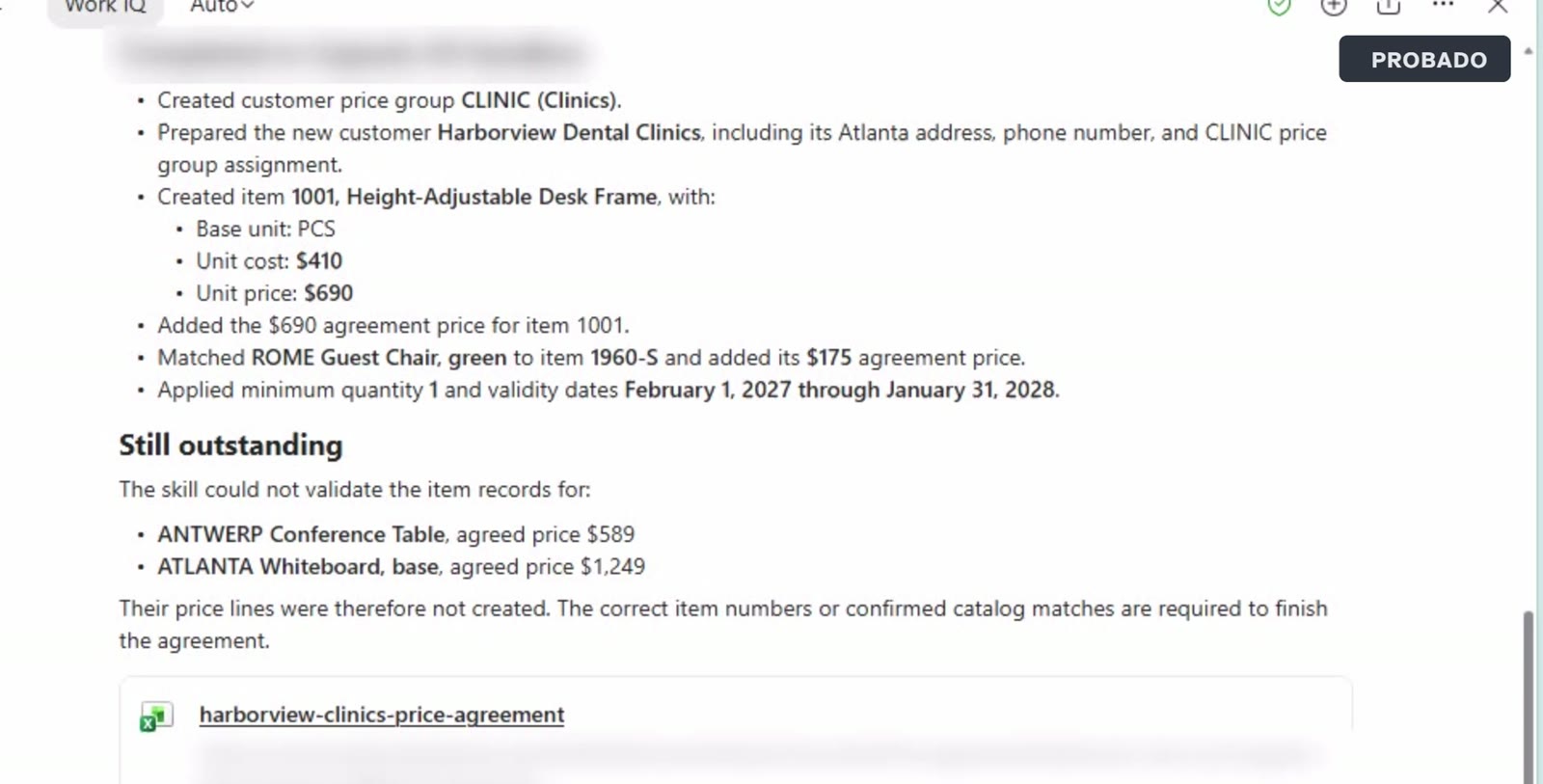
I replied «Yes, those are correct. Add the two missing price lines.» without giving the item numbers. It declined again: it wouldn’t invent item numbers. When I gave it the two numbers, it created both lines. All four prices ended up in Business Central with their dates, and I checked them there.
That is exactly what the skill asked for. It also fits another Microsoft warning: in this preview Copilot might occasionally return fabricated business data if it doesn’t recognise that the work belongs inside Business Central, so always review the result.
Before you try it
Documented: it’s a partner preview, with preview and sandbox environments only, and English only. It can’t iterate over long lists or upload or download files to Business Central, and it only works with the current company and environment. It always asks before deleting a record. Outside Business Central, for example in Outlook or the Copilot app, it can’t connect to Business Central data.
Tested by me, not documented this way: attaching the Excel from SharePoint in Business Central’s pane, creating the skill from that pane, uploading it in Plugins and reusing it from Business Central.
Not tested: whether that skill works in Copilot Chat outside Business Central, where a skill created from chat is stored, and anything about pricing or general availability of Edit with Copilot.
My view: with the ability to create our own skills in Copilot, we can raise the level of automation of processes that could otherwise take us a long time. It also gets us ready for the arrival of business skills in Business Central.
References
- Microsoft Learn, Edit with Copilot (preview): https://learn.microsoft.com/dynamics365/business-central/dev-itpro/early-preview/early-access-preview-edit-with-copilot
- Microsoft Learn, Build skills for Microsoft 365 Copilot Chat: https://learn.microsoft.com/microsoft-365/copilot/extensibility/build-copilot-chat-skills
- The video on YouTube (Spanish): https://youtu.be/vhbMCdrcyMs
























Deja una respuesta